A simple Zendesk MCP server
Wellknown found it in public sources; nobody has proven control of it yet. Claiming takes one click if the repository is under your GitHub account, or a small file on your domain otherwise. Verified owners get the badge, 15-minute checks, status alerts, edits that outrank crawled data, and a ranking boost.
Agents can do it too: POST https://wellknown.network/api/v1/claims with {"agent":"zendesk-mcp-server","method":"well_known_file"} — machine-readable steps at claim.json, guide at /docs/claim.
Everything here was measured by our prober or read from a registry. Nothing is self-reported.
Attributed to the source that supplied each field. Treated as claims, not facts.
# Zendesk MCP Server  [](https://opensource.org/licenses/Apache-2.0) A Model Context Protocol server for Zendesk. This server provides a comprehensive integration with Zendesk. It offers: - Tools for retrieving and managing Zendesk tickets and comments - Specialized prompts for ticket analysis and response drafting - Full access to the Zendesk Help Center articles as knowledge base 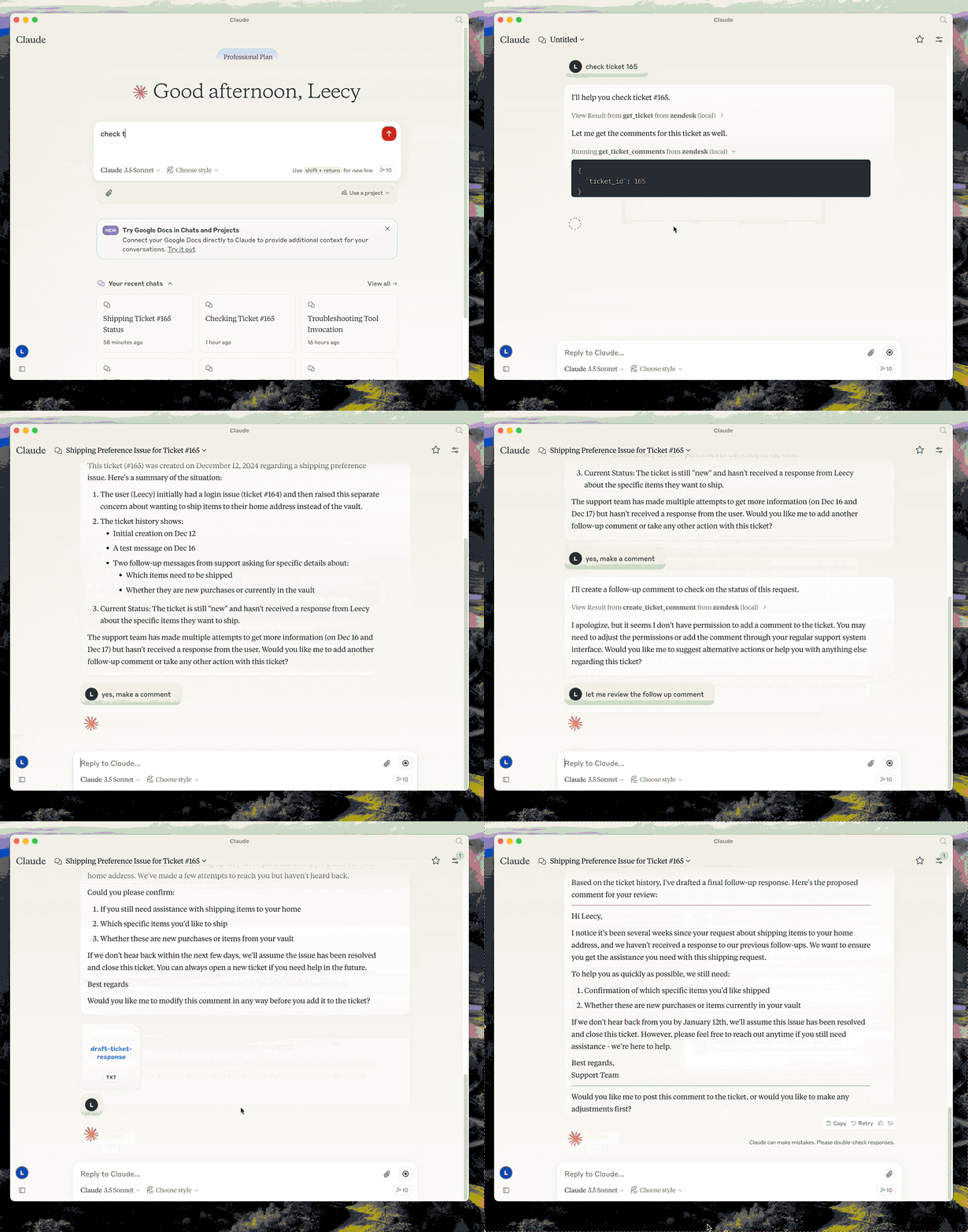 ## Setup - build: `uv venv && uv pip install -e .` or `uv build` in short. - setup zendesk credentials in `.env` file, refer to [.env.example](.env.example). - configure in Claude desktop: ```json { "mcpServers": { "zendesk": { "command": "uv", "args": [ "--directory", "/path/to/zendesk-mcp-server", "run", "zendesk" ] } } } ``` ### Docker You can containerize the server if you prefer an isolated runtime: 1. Copy `.env.example` to `.env` and fill in your Zendesk credentials. Keep this file outside version control. 2. Build the image: ```bash docker build -t zendesk-mcp-server . ``` 3. Run the server, providing the environment file: ```bash docker run --rm --env-file /path/to/.env zendesk-mcp-server ``` Add `-i` when wiring the container to MCP clients over STDIN/STDOUT (Claude Code uses this mode). For daemonized runs, add `-d --name zendesk-mcp`. The image installs dependencies from `requirements.lock`, drops privileges to a non-root user, and expects configuration exclusively via environment variables. #### Claude MCP Integration To use the Dockerized server from Claude Code/Desktop, add an entry to Claude Code's `settings.json` similar to: ```json { "mcpServers": { "zendesk": { "command": "…
Mapped onto the structured taxonomy from declared text and observed tool names. Confidence shown for derived entries.
Every source is kept verbatim. Field changes are logged as events.