MCP Server for Ableton Live
Wellknown found it in public sources; nobody has proven control of it yet. Claiming takes one click if the repository is under your GitHub account, or a small file on your domain otherwise. Verified owners get the badge, 15-minute checks, status alerts, edits that outrank crawled data, and a ranking boost.
Agents can do it too: POST https://wellknown.network/api/v1/claims with {"agent":"project-contributors-ableton-live-mcp-server","method":"well_known_file"} — machine-readable steps at claim.json, guide at /docs/claim.
Everything here was measured by our prober or read from a registry. Nothing is self-reported.
Attributed to the source that supplied each field. Treated as claims, not facts.
# Ableton Live MCP Server ## 📌 Overview The **Ableton Live MCP Server** is a server implementing the [Model Context Protocol (MCP)](https://modelcontextprotocol.io) to facilitate communication between LLMs and **Ableton Live**. It uses **OSC (Open Sound Control)** to send and receive messages to/from Ableton Live. It is based on [AbletonOSC](https://github.com/ideoforms/AbletonOSC) implementation and exhaustively maps available OSC adresses to [**tools**](https://modelcontextprotocol.io/docs/concepts/tools) accessible to MCP clients. [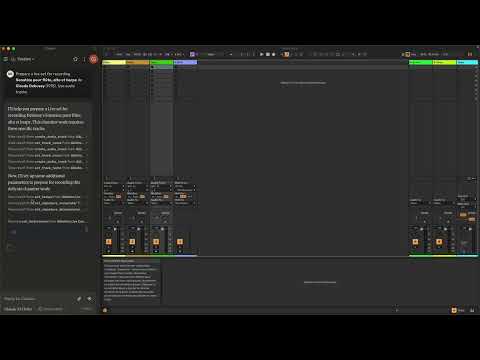](https://www.youtube.com/watch?v=12MzsQ3V7cs) This project consists of two main components: - `mcp_ableton_server.py`: The MCP server handling the communication between clients and the OSC daemon. - `osc_daemon.py`: The OSC daemon responsible for relaying commands to Ableton Live and processing responses. ## ✨ Features - Provides an MCP-compatible API for controlling Ableton Live from MCP clients. - Uses **python-osc** for sending and receiving OSC messages. - Based on the OSC implementation from [AbletonOSC](https://github.com/ideoforms/AbletonOSC). - Implements request-response handling for Ableton Live commands. ## ⚡ Installation ### Option 1: Install with UV (Recommended) 1. Install UV if you don't have it already: ```bash pip install uv ``` 2. Install directly from PyPI: ```bash uv install ableton-live-mcp-server ``` 3. Or install from GitHub: ```bash uv install git+https://github.com/mrmos/ableton-live-mcp-server.git ``` ### Option 2: Manual Installation 1. Install `uv` ```bash pip install uv ``` 2. Clone the repository: ```bash git clone https://github.com/your-username/mcp_ableton_server.git cd mcp_ableton_server ``` 3. Install dependencies: ```bash uv install python-osc fastmcp ``` 4. Install the MCP Server This assumes that you're using [Claude Desktop](https://claude.…
Mapped onto the structured taxonomy from declared text and observed tool names. Confidence shown for derived entries.
Every source is kept verbatim. Field changes are logged as events.