A MCP server that connects to your Redmine instance
Listed on its own since 2026-09-27. Until then it was part of iflow-mcp-mcp-redmine, where its earlier checks remain.
Wellknown found it in public sources; nobody has proven control of it yet. Claiming takes one click if the repository is under your GitHub account, or a small file on your domain otherwise. Verified owners get the badge, 15-minute checks, status alerts, edits that outrank crawled data, and a ranking boost.
Agents can do it too: POST https://wellknown.network/api/v1/claims with {"agent":"mcp-redmine","method":"well_known_file"} — machine-readable steps at claim.json, guide at /docs/claim.
Everything here was measured by our prober or read from a registry. Nothing is self-reported.
Attributed to the source that supplied each field. Treated as claims, not facts.
# MCP Redmine **Status: Maintained, in daily use.** Let Claude be your Redmine assistant! MCP Redmine connects Claude Desktop to your Redmine instance, allowing it to: - Search and browse projects and issues - Create and update issues with full markdown support - Upload and download file attachments - Manage and track time entries - Update issue statuses and fields - Access comprehensive Redmine API functionality Uses httpx for API requests and integrates with the Redmine OpenAPI specification for comprehensive API coverage. 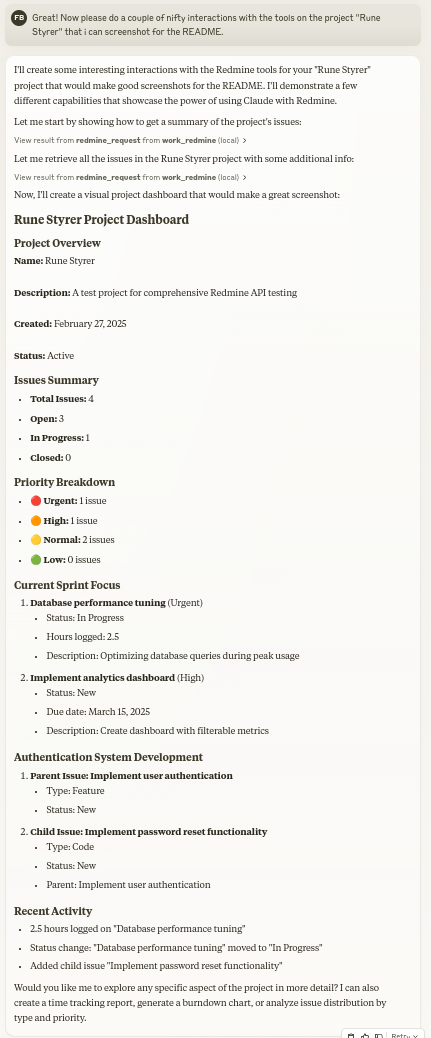 ## Usage with Claude Desktop ### 1. Installation using `uv` Ensure you have uv installed. ```bash uv --version ``` Install uv if you haven't already. - Linux ```bash curl -LsSf https://astral.sh/uv/install.sh | sh ``` - macOS ```zsh brew install uv ``` - windows ```powershell powershell -ExecutionPolicy ByPass -c "irm https://astral.sh/uv/install.ps1 | iex" ``` Add to your `claude_desktop_config.json`: ```json { "mcpServers": { "redmine": { "command": "uvx", "args": ["--from", "mcp-redmine==2026.10.15.204909", "--refresh-package", "mcp-redmine", "mcp-redmine"], "env": { "REDMINE_URL": "https://your-redmine-instance.example.com", "REDMINE_API_KEY": "your-api-key", "REDMINE_REQUEST_INSTRUCTIONS": "/path/to/instructions.md", "REDMINE_ALLOWED_DIRECTORIES": "/tmp,/home/user/uploads" } } } } ``` ### 2. Installation using `docker` Ensure you have docker installed. ```bash docker --version ``` Pull the published image from GitHub Container Registry: ```bash docker pull ghcr.io/runekaagaard/mcp-redmine:latest ``` Or build the image yourself: ```bash git clone [email protected]:runekaagaard/mcp-redmine.git cd mcp-redmine docker build -t ghcr.io/runekaagaard/mcp-redmine . ``` Add to your `claude_desk…
Mapped onto the structured taxonomy from declared text and observed tool names. Confidence shown for derived entries.
Every source is kept verbatim. Field changes are logged as events.