AMap MCP Server
Wellknown found it in public sources; nobody has proven control of it yet. Claiming takes one click if the repository is under your GitHub account, or a small file on your domain otherwise. Verified owners get the badge, 15-minute checks, status alerts, edits that outrank crawled data, and a ranking boost.
Agents can do it too: POST https://wellknown.network/api/v1/claims with {"agent":"amap-mcp","method":"well_known_file"} — machine-readable steps at claim.json, guide at /docs/claim.
Everything here was measured by our prober or read from a registry. Nothing is self-reported.
Attributed to the source that supplied each field. Treated as claims, not facts.
<p align="center"> <a href="https://pypi.org/project/amap-mcp/"><img src="https://img.shields.io/badge/pypi-amapmcp-green" alt="version"></a> Non-official AMap <a href="https://github.com/modelcontextprotocol">Model Context Protocol (MCP)</a> server that enables interaction with AMap powerful location related service. You can use in the following MCP clients like <a href="https://www.cursor.so">Cursor</a>, <a href="https://www.anthropic.com/claude">Claude Desktop</a>, <a href="https://cline.bot/">Cline</a> </a>, <a href="https://windsurf.com/editor">Windsurf</a> and other Client. </p> ## Prerequisite 1. python 3.10+; 2. Get your AMAP_KEY from [AMAP open platform](https://console.amap.com/dev/key/app). 3. Install `uv` (Python package manager), install with `pip install uv` or see the `uv` [repo](https://github.com/astral-sh/uv) for additional install methods. ## Quickstart with Cursor Go to Cursor -> Cursor Settings -> MCP, click `Add new global MCP server`, and mcp.json will open, paste the following config content: ``` "AMap": { "command": "uvx", "args": [ "amap-mcp" ], "env": { "AMAP_KEY": "<insert-your-AMap-here>" }, }, ``` ## Example usage A demonstration video: 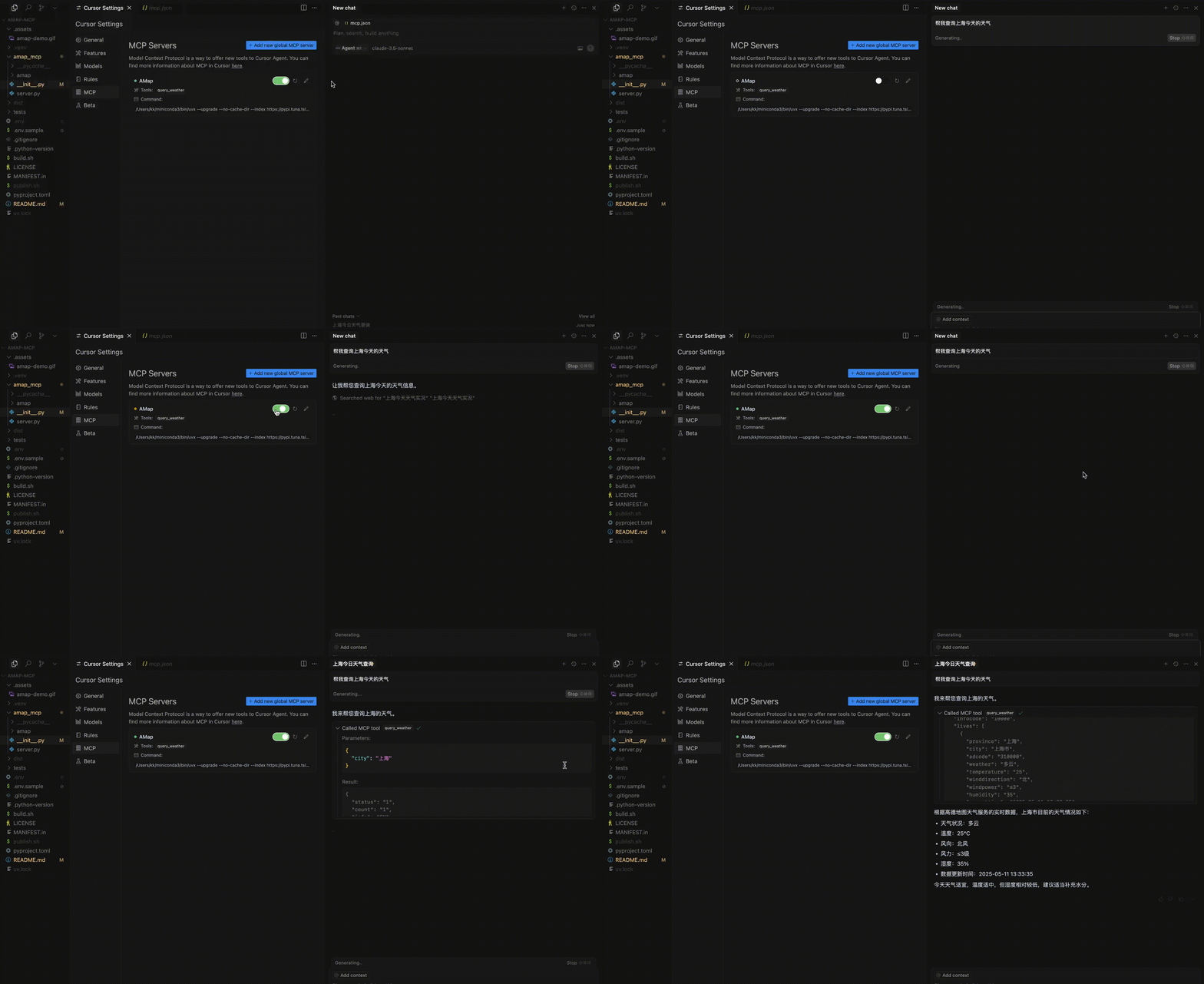
Mapped onto the structured taxonomy from declared text and observed tool names. Confidence shown for derived entries.
Every source is kept verbatim. Field changes are logged as events.