MCP server for AI-assisted Markdown resume writing and PDF export
Wellknown found it in public sources; nobody has proven control of it yet. Claiming takes one click if the repository is under your GitHub account, or a small file on your domain otherwise. Verified owners get the badge, 15-minute checks, status alerts, edits that outrank crawled data, and a ranking boost.
Agents can do it too: POST https://wellknown.network/api/v1/claims with {"agent":"resume-markdown-mcp","method":"well_known_file"} — machine-readable steps at claim.json, guide at /docs/claim.
Everything here was measured by our prober or read from a registry. Nothing is self-reported.
Attributed to the source that supplied each field. Treated as claims, not facts.
# resume-markdown-mcp Write your resume in Markdown, export to PDF — powered by AI via MCP. 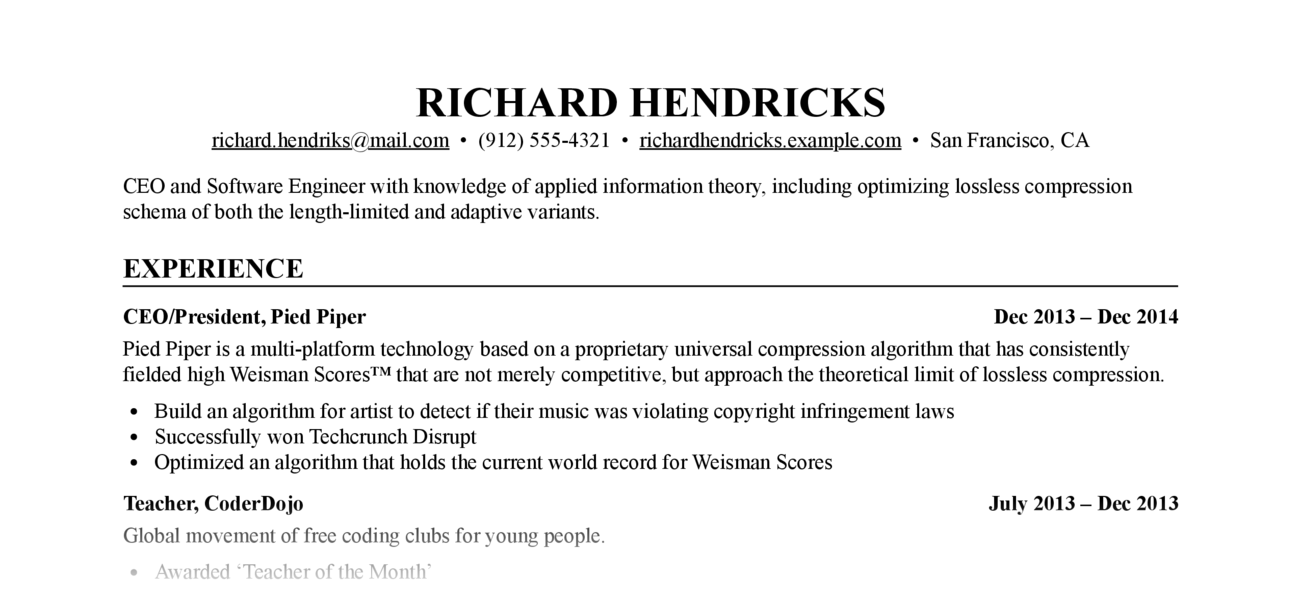 Let Claude write, edit, and format your resume. The MCP server handles Markdown-to-PDF conversion with a built-in stylesheet — no CSS knowledge required. Requires: Python ≥ 3.12, Google Chrome or Chromium (for PDF export) ## Setup ```bash claude mcp add resume-markdown -- uvx resume-markdown-mcp@latest@latest ``` ## What Can It Do? | Type | Name | Description | |------|------|-------------| | Tool | `export_resume_pdf` | Convert a Markdown resume to PDF. Accepts a file path or raw Markdown text. CSS is applied automatically. | | Resource | `resume://template` | The built-in Markdown resume template. AI reads this to understand the required format. | | Resource | `resume://style` | The built-in CSS stylesheet. AI reads this when you want to customise the appearance. | ## Example Prompts - "Help me write a resume for a software engineer role and export it as a PDF to my Desktop" - "Here's my resume at ~/resume.md — export it to PDF" - "My resume.md doesn't follow the right format, fix it and export to /tmp/resume.pdf" - "Make the font size smaller and re-export my resume" ## Resume Markdown Format The PDF renderer depends on these Markdown conventions: ```markdown # Full Name - email@example.com - Phone number - City, Country One-line summary (optional) ## Experience ### <span>Job Title, Company</span> <span>2022 – 2025</span> - Achievement one - Achievement two ## Education ### <span>Degree, University</span> <span>2018 – 2022</span> ## Skills - Skill category: item, item, item ``` The `<span>` tags inside `###` headings are required — they enable the left/right flexbox layout for title and date. AI handles this automatically when writing from scratch; if your existing file lacks them, ask Claude to reformat it before exporting. ## How It Works 1…
Mapped onto the structured taxonomy from declared text and observed tool names. Confidence shown for derived entries.
Every source is kept verbatim. Field changes are logged as events.