Instantly expose markdown folders as MCP servers for Claude Desktop
Wellknown found it in public sources; nobody has proven control of it yet. Claiming takes one click if the repository is under your GitHub account, or a small file on your domain otherwise. Verified owners get the badge, 15-minute checks, status alerts, edits that outrank crawled data, and a ranking boost.
Agents can do it too: POST https://wellknown.network/api/v1/claims with {"agent":"md-mcp","method":"well_known_file"} — machine-readable steps at claim.json, guide at /docs/claim.
Everything here was measured by our prober or read from a registry. Nothing is self-reported.
Attributed to the source that supplied each field. Treated as claims, not facts.
# md-mcp **Transform from Prompt Engineering to Context Engineering.** A lightweight Python library that instantly exposes your local markdown documentation, notes, and knowledge bases to **any** AI tool that supports the Model Context Protocol (MCP) – including Claude Desktop. No embeddings, no preprocessing, and no uploading. Your files stay safely on your local machine, and any real-time updates are instantly reflected in your AI's context. 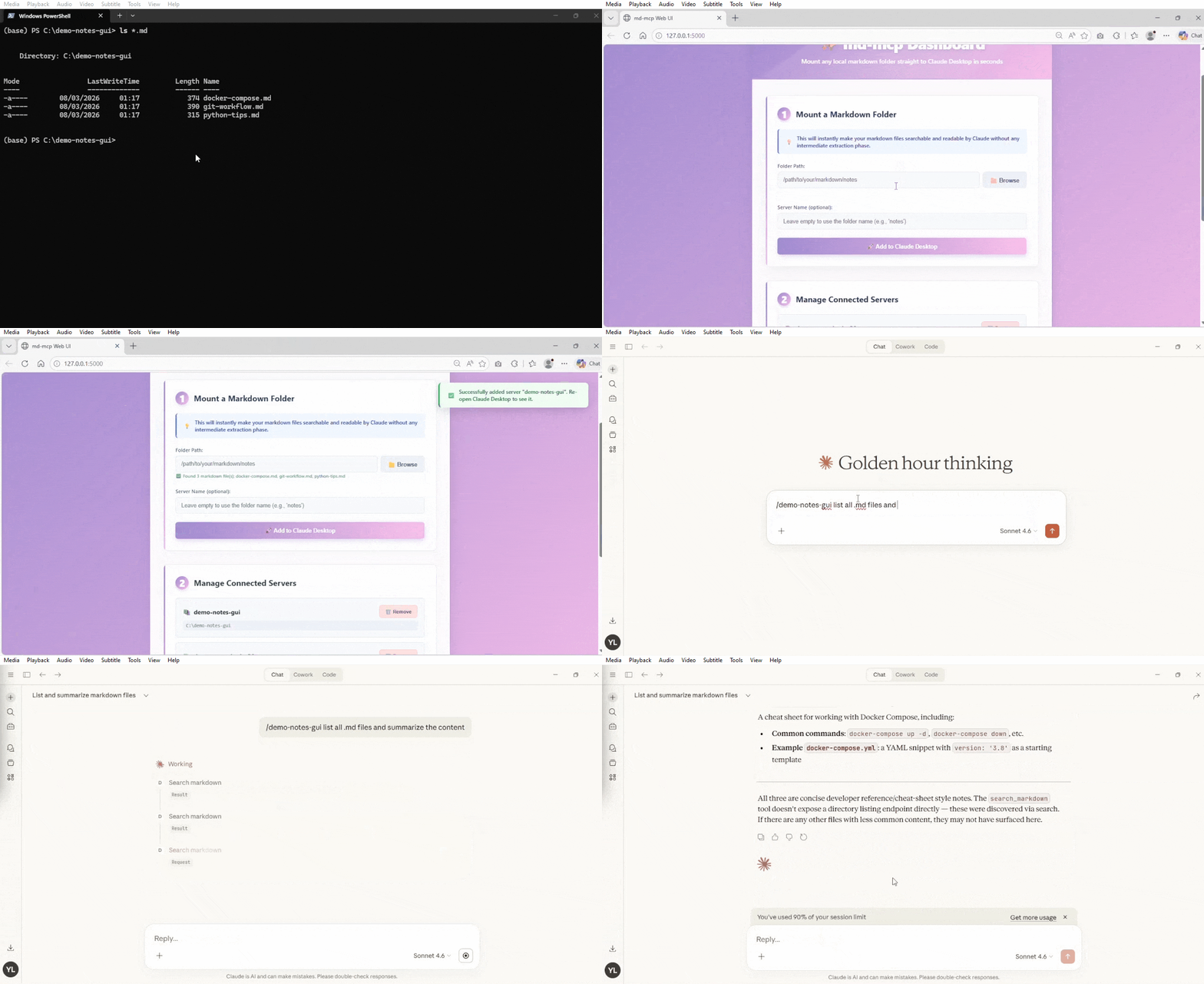 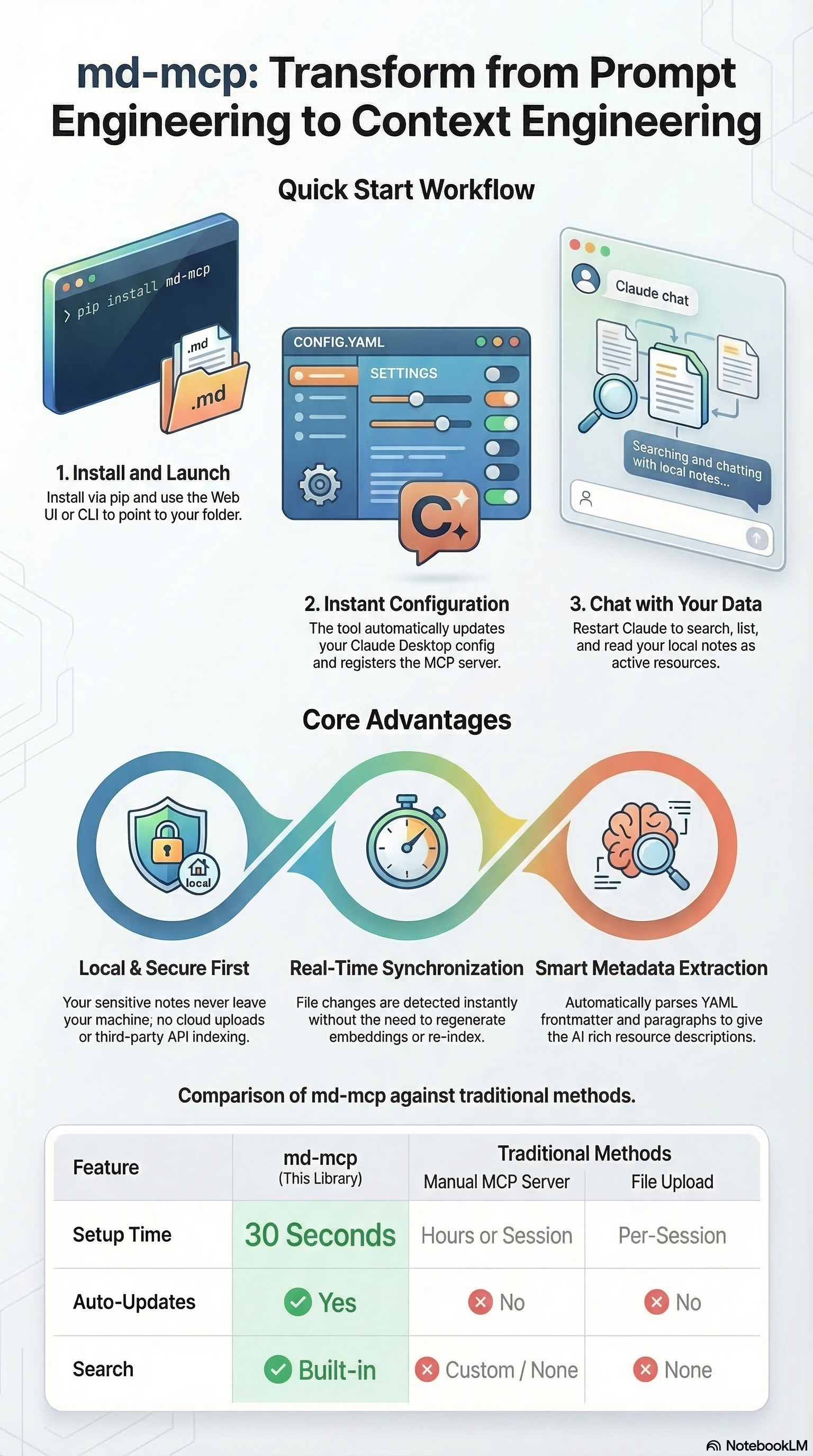 --- ## 🚀 Quick Start ### 1. Install #### Option A: Install from pypi ```bash pip install md-mcp ``` #### Option B: Install from source code ```bash uv sync ``` ### 2. Launch the Web UI (Recommended) The easiest way to manage your markdown servers is through the visual dashboard: ```bash md-mcp --web ``` If the command is not recognized (e.g., if the Python scripts directory is not in your system PATH), you can run: ```bash uv run python -m md_mcp --web ``` *Just point at a folder and go!* ### 3. Or use the CLI If you prefer the command line: ```bash # Expose a folder of markdown files md-mcp --folder ~/Documents/notes --name "My Notes" # That's it! Restart Claude Desktop and it's available. ``` --- ## 📋 Features - **Context Engineering**: Feed your AI assistant exactly the right local context to get better answers, eliminating the need to endlessly prompt. - **Universal MCP Support**: Works natively with Claude Desktop and any other AI tool or agent that supports the Model Context Protocol. - **Local & Secure First**: Your files never leave your machine. No cloud uploads, no third-party APIs parsing your sensitive notes. - **Real-time Sync**: Edit your markdown files and the MCP server picks up the changes instantly. No need to regenerate…
Mapped onto the structured taxonomy from declared text and observed tool names. Confidence shown for derived entries.
Every source is kept verbatim. Field changes are logged as events.