AutoCAD MCP Server - Natural language control of AutoCAD drawings
Wellknown found it in public sources; nobody has proven control of it yet. Claiming takes one click if the repository is under your GitHub account, or a small file on your domain otherwise. Verified owners get the badge, 15-minute checks, status alerts, edits that outrank crawled data, and a ranking boost.
Agents can do it too: POST https://wellknown.network/api/v1/claims with {"agent":"iflow-mcp-zh19980811-autocad-mcp-server","method":"well_known_file"} — machine-readable steps at claim.json, guide at /docs/claim.
Everything here was measured by our prober or read from a registry. Nothing is self-reported.
Attributed to the source that supplied each field. Treated as claims, not facts.
[](https://mseep.ai/app/zh19980811-easy-mcp-autocad) # AutoCAD MCP 服务器 / AutoCAD MCP Server > ⚠️ 本项目目前维护精力有限,欢迎有兴趣的开发者参与协作! > ⚠️ Currently this project is **not actively maintained** due to time constraints. I would be **very happy to collaborate** with anyone interested in co-maintaining or extending it. 基于 **Model Context Protocol (MCP)** 的 AutoCAD 集成服务器,允许通过 **Claude** 等大型语言模型 (LLM) 与 AutoCAD 进行自然语言交互。 An AutoCAD integration server based on **Model Context Protocol (MCP)**, enabling natural language interaction with AutoCAD via large language models like **Claude**. > 🔗 项目在 MseeP.ai 展示 / Referenced on MseeP.ai: > https://mseep.ai/app/zh19980811-easy-mcp-autocad 🎬 **演示视频 / Demo Video**: [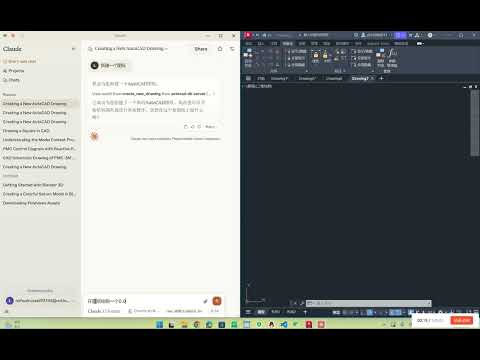](https://www.youtube.com/watch?v=-I6CTc3Xaek) --- ## ✨ 功能特点 / Features - 🗣️ 自然语言控制 AutoCAD 图纸 / Natural language control of AutoCAD drawings - ✏️ 基础绘图功能(线条、圆)/ Basic drawing tools (line, circle) - 📚 图层管理 / Layer management - 🧠 自动生成 PMC 控制图 / Auto-generate PMC control diagrams - 🔍 图纸元素分析 / Drawing element analysis - 🔦 文本高亮匹配 / Highlight specific text patterns - 💾 内嵌 SQLite 数据库存储 CAD 元素 / Integrated SQLite storage for CAD elements --- ## 🖥️ 系统要求 / System Requirements - Python 3.10+ - AutoCAD 2018+ (需支持 COM 接口 / with COM interface support) - Windows 操作系统 / Windows OS --- ## ⚙️ 安装步骤 / Installation ### 1. 克隆仓库 / Clone the repository ```bash git clone https://github.com/yourusername/autocad-mcp-server.git cd autocad-mcp-server | `export_to_database` | 将 CAD 元素信息存入 SQLite | ## 2. 创建虚拟环境 / Create virtual environment **Windows:** ```bash python -m venv .venv .venv\Scripts\activate ``` **macOS / Linux:** ```bash python -m venv .venv source .venv/bin/activate ``` --- ## 3. 安装依赖 / Install dependencies ```bash pip install -r requirements.txt ``` --- ## 4. (可选)构建可执行文件 / (…
Mapped onto the structured taxonomy from declared text and observed tool names. Confidence shown for derived entries.
Every source is kept verbatim. Field changes are logged as events.