A simple MCP ODBC server using FastAPI and ODBC
Wellknown found it in public sources; nobody has proven control of it yet. Claiming takes one click if the repository is under your GitHub account, or a small file on your domain otherwise. Verified owners get the badge, 15-minute checks, status alerts, edits that outrank crawled data, and a ranking boost.
Agents can do it too: POST https://wellknown.network/api/v1/claims with {"agent":"iflow-mcp-mcp-sqlalchemy-server","method":"well_known_file"} — machine-readable steps at claim.json, guide at /docs/claim.
Everything here was measured by our prober or read from a registry. Nothing is self-reported.
Attributed to the source that supplied each field. Treated as claims, not facts.
--- # MCP Server ODBC via SQLAlchemy A lightweight MCP (Model Context Protocol) server for ODBC built with **FastAPI**, **pyodbc**, and **SQLAlchemy**. This server is compatible with Virtuoso DBMS and other DBMS backends that implement a SQLAlchemy provider. 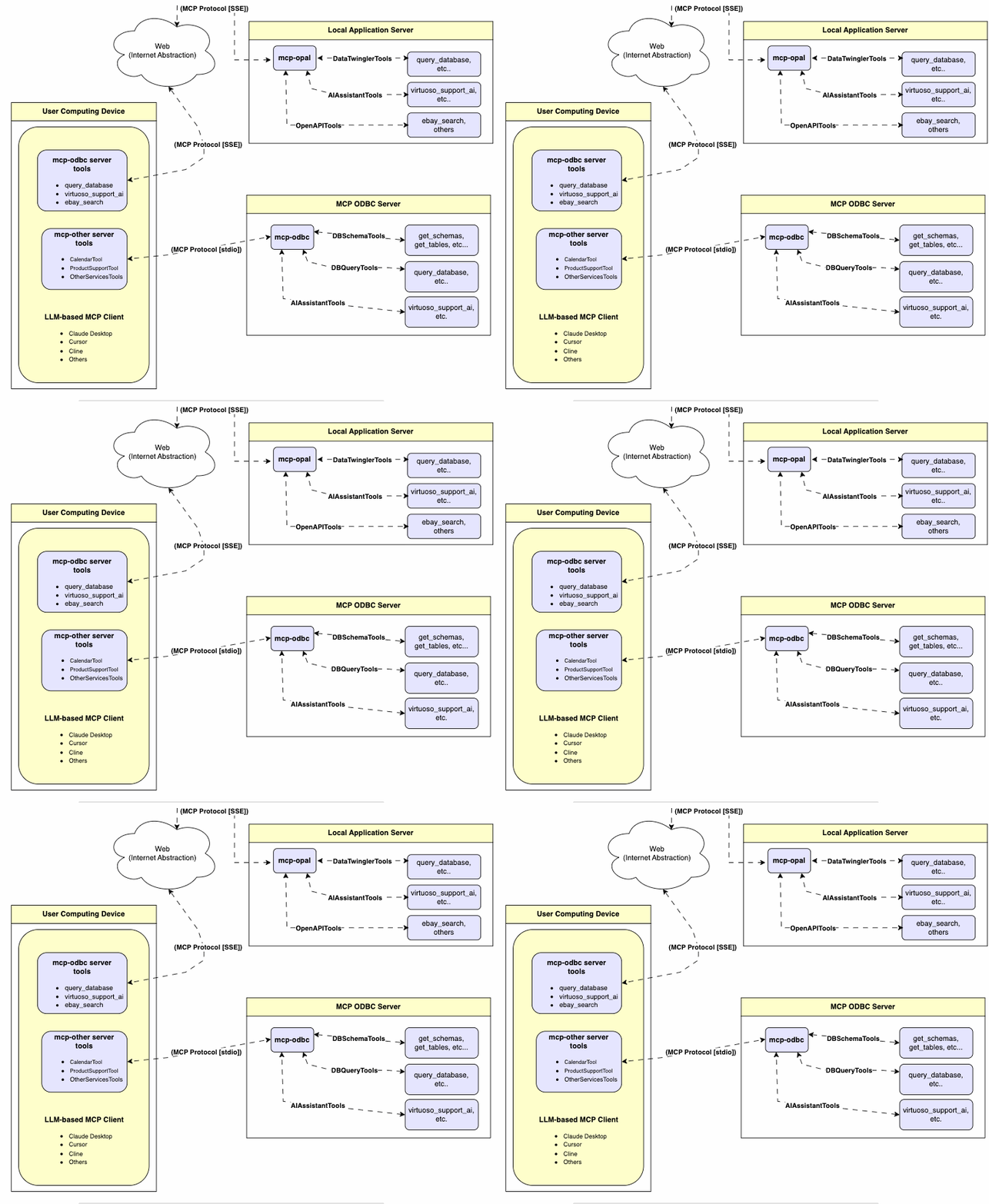 --- ## Features - **Get Schemas**: Fetch and list all schema names from the connected database. - **Get Tables**: Retrieve table information for specific schemas or all schemas. - **Describe Table**: Generate a detailed description of table structures, including: - Column names and data types - Nullable attributes - Primary and foreign keys - **Search Tables**: Filter and retrieve tables based on name substrings. - **Execute Stored Procedures**: In the case of Virtuoso, execute stored procedures and retrieve results. - **Execute Queries**: - JSONL result format: Optimized for structured responses. - Markdown table format: Ideal for reporting and visualization. --- ## Prerequisites 1. **Install uv**: ```bash pip install uv ``` Or use Homebrew: ```bash brew install uv ``` 2. **unixODBC Runtime Environment Checks**: 1. Check installation configuration (i.e., location of key INI files) by running: `odbcinst -j` 2. List available data source names by running: `odbcinst -q -s` 3. **ODBC DSN Setup**: Configure your ODBC Data Source Name (`~/.odbc.ini`) for the target database. Example for Virtuoso DBMS: ``` [VOS] Description = OpenLink Virtuoso Driver = /path/to/virtodbcu_r.so Database = Demo Address = localhost:1111 WideAsUTF16 = Yes ``` 3. **SQLAlchemy URL Binding**: Use the format: ``` virtuoso+pyodbc://user:password@VOS ``` --- ## Installation Clone this repository: ```bash git clone https://github.com/OpenLinkSoftware/mcp-sqlalchemy-server.git cd mcp-sqlalchemy-server ``` ## Environment Variables Update your `.env`by overriding the d…
Mapped onto the structured taxonomy from declared text and observed tool names. Confidence shown for derived entries.
Every source is kept verbatim. Field changes are logged as events.