A MCP (Model Context Protocol) server for interacting with dbt resources.
Listed on its own since 2026-09-25. Until then it was part of dbt-mcp, where its earlier checks remain.
Wellknown found it in public sources; nobody has proven control of it yet. Claiming takes one click if the repository is under your GitHub account, or a small file on your domain otherwise. Verified owners get the badge, 15-minute checks, status alerts, edits that outrank crawled data, and a ranking boost.
Agents can do it too: POST https://wellknown.network/api/v1/claims with {"agent":"iflow-mcp-dbt-mcp","method":"well_known_file"} — machine-readable steps at claim.json, guide at /docs/claim.
Everything here was measured by our prober or read from a registry. Nothing is self-reported.
Attributed to the source that supplied each field. Treated as claims, not facts.
# dbt MCP Server [](https://www.bestpractices.dev/projects/11137) This MCP (Model Context Protocol) server provides various tools to interact with dbt. You can use this MCP server to provide AI agents with context of your project in dbt Core, dbt Fusion, and dbt Platform. Read our documentation [here](https://docs.getdbt.com/docs/dbt-ai/about-mcp) to learn more. [This](https://docs.getdbt.com/blog/introducing-dbt-mcp-server) blog post provides more details for what is possible with the dbt MCP server. ## Feedback If you have comments or questions, create a GitHub Issue or join us in [the community Slack](https://www.getdbt.com/community/join-the-community) in the `#tools-dbt-mcp` channel. ## Architecture The dbt MCP server architecture allows for your agent to connect to a variety of tools. 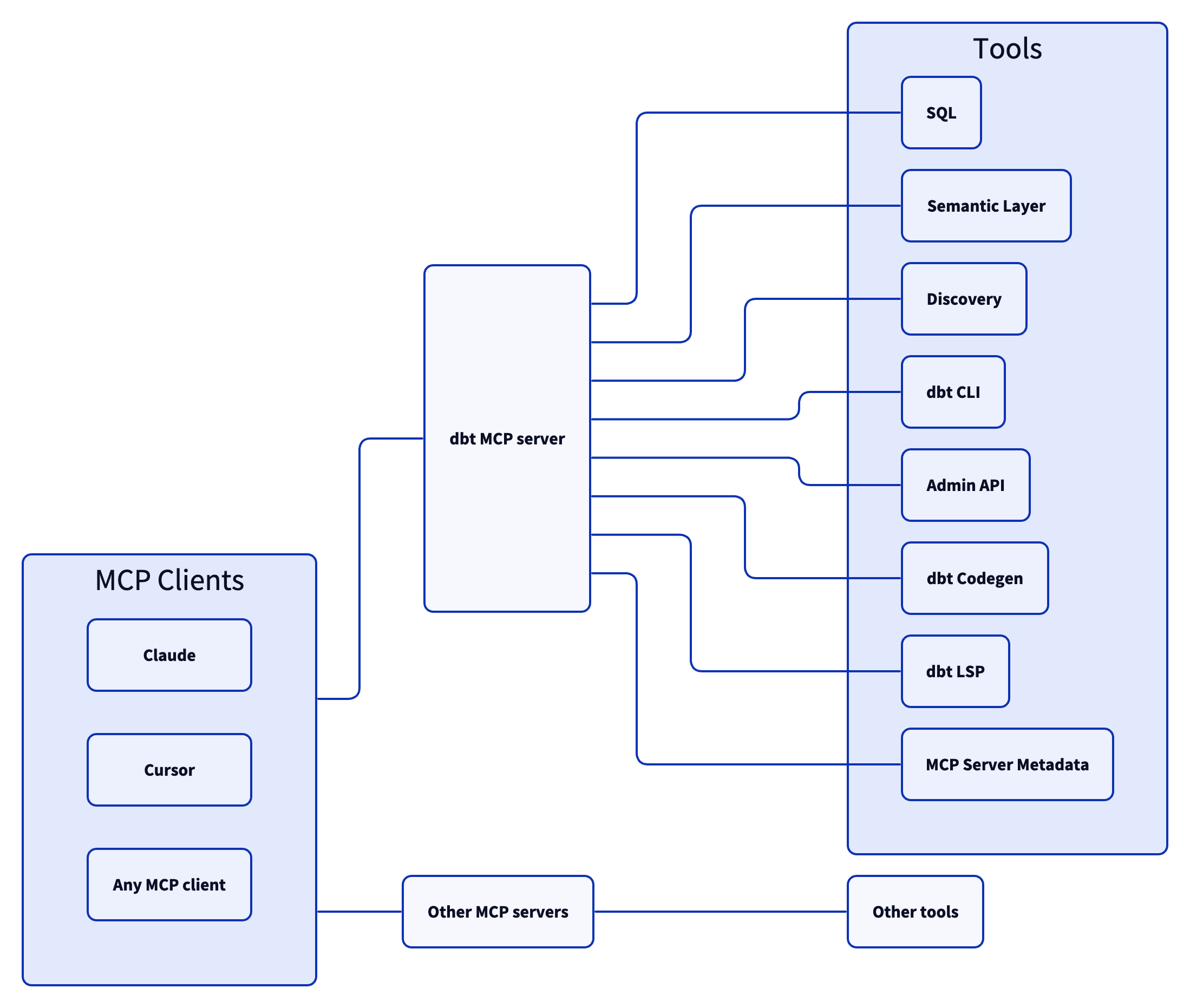 ## Examples Commonly, you will connect the dbt MCP server to an agent product like Claude or Cursor. However, if you are interested in creating your own agent, check out [the examples directory](https://github.com/dbt-labs/dbt-mcp/tree/main/examples) for how to get started. ## Contributing Read `CONTRIBUTING.md` for instructions on how to get involved!
Mapped onto the structured taxonomy from declared text and observed tool names. Confidence shown for derived entries.
Every source is kept verbatim. Field changes are logged as events.