Blender AI add-on and MCP server for prompt-based 3D creation and editing
Wellknown found it in public sources; nobody has proven control of it yet. Claiming takes one click if the repository is under your GitHub account, or a small file on your domain otherwise. Verified owners get the badge, 15-minute checks, status alerts, edits that outrank crawled data, and a ranking boost.
Agents can do it too: POST https://wellknown.network/api/v1/claims with {"agent":"blendrelay-mcp","method":"well_known_file"} — machine-readable steps at claim.json, guide at /docs/claim.
Everything here was measured by our prober or read from a registry. Nothing is self-reported.
Attributed to the source that supplied each field. Treated as claims, not facts.
# BlendRelay MCP — Create and Edit Blender Scenes with AI **An open-source Blender AI add-on and MCP server for prompt-based 3D modeling, scene generation, Edit Mode changes, reference images, and viewport sketches.** BlendRelay MCP brings AI 3D modeling and text-to-Blender workflows into Blender 4.5+. Connect Codex, Claude Code, Antigravity, or another MCP-compatible AI agent; describe what you want; attach design references; sketch over the viewport; or target selected objects and mesh elements. The agent can then inspect and update the open `.blend` scene through typed Blender tools. [Visit the BlendRelay website](https://shefq.github.io/blendrelay-mcp/) · [Watch Demo](https://www.youtube.com/watch?v=AaTDT457A3U) · [Install from PyPI](https://pypi.org/project/blendrelay-mcp/) · [⭐ Star on GitHub](https://github.com/shefq/blendrelay-mcp) [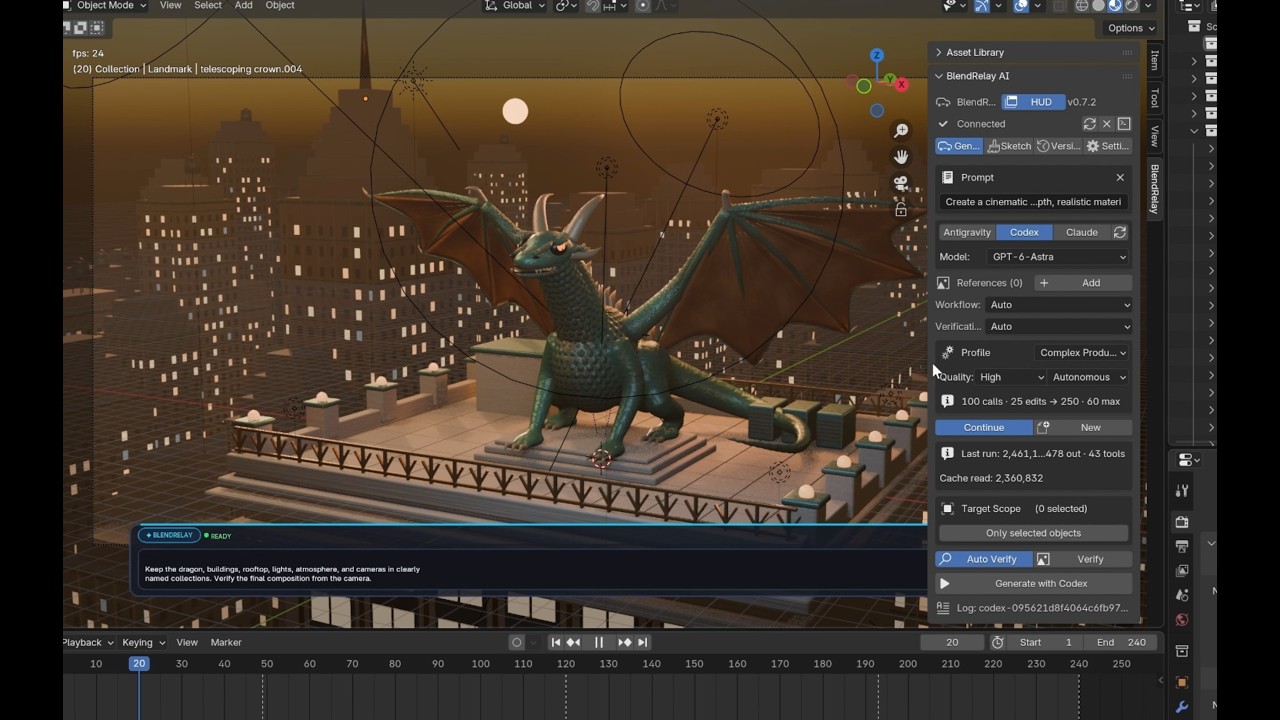](https://www.youtube.com/watch?v=AaTDT457A3U) > ⭐ **Enjoying BlendRelay MCP?** If this project helps your workflow, please consider [giving it a star on GitHub](https://github.com/shefq/blendrelay-mcp) — it helps more 3D creators and developers discover the tool! ## What you can do - Generate complete scenes, environments, props, buildings, products, and abstract artwork. - Edit selected objects with natural-language instructions. - Work with selected vertices, edges, and faces in Blender Edit Mode. - Use one or more reference images for shape, composition, material, or style guidance. - Draw viewport sketches and adjustable target boxes to show where changes should happen. - Create materials, lighting, cameras, modifiers, Geometry Nodes, animation, and renders. - Save and restore automatic scene checkpoints if a result needs to be undone. ## Before you install You need: - Blender 4.5 or newer. Open Blender once before running setup. - [`uvx`](https://docs.astral.sh/uv/guides/tools/) or Python 3.…
Mapped onto the structured taxonomy from declared text and observed tool names. Confidence shown for derived entries.
Every source is kept verbatim. Field changes are logged as events.