Official SynClub Model Context Protocol (MCP) Server that enables powerful AI generation capabilities including text-to-speech, voice cloning, video generation, image generation, and more. Compatible with MCP clients like Claude Desktop, Cursor, Windsurf, and others.
## Features - **Text-to-Speech**: Convert text to natural speech with multiple voice options - **Voice Cloning**: Clone voices from audio samples - **Video Generation**: Generate videos from text prompts or images - **Image Generation**: Create images from text descriptions - **Image Recognition**: Analyze and understand image content - **Background Removal**: Automatically remove backgrounds from images - **HD Image Restoration**: Enhance image quality and resolution - **AI Search**: Intelligent search with AI-powered results - **Japanese TTS**: Specialized Japanese text-to-speech ## Quick Start ### 1. Install uv (Python Package Manager) ```bash # macOS/Linux curl -LsSf https://astral.sh/uv/install.sh | sh # Windows (PowerShell) powershell -c "irm https://astral.sh/uv/install.sh | iex" # Or via package managers # brew install uv # pip install uv ``` ### 2. Get Your API Key Obtain your API key from your account information page on the SynClub server website. ### 3. Configure Your MCP Client #### Claude Desktop **Step 1: find your config file** You can find your config file at: - **macOS**: `~/Library/Application Support/Claude/claude_desktop_config.json` - **Windows**: `%APPDATA%\Claude\claude_desktop_config.json` Or you can find your config file in claude setting: Click claude setting: 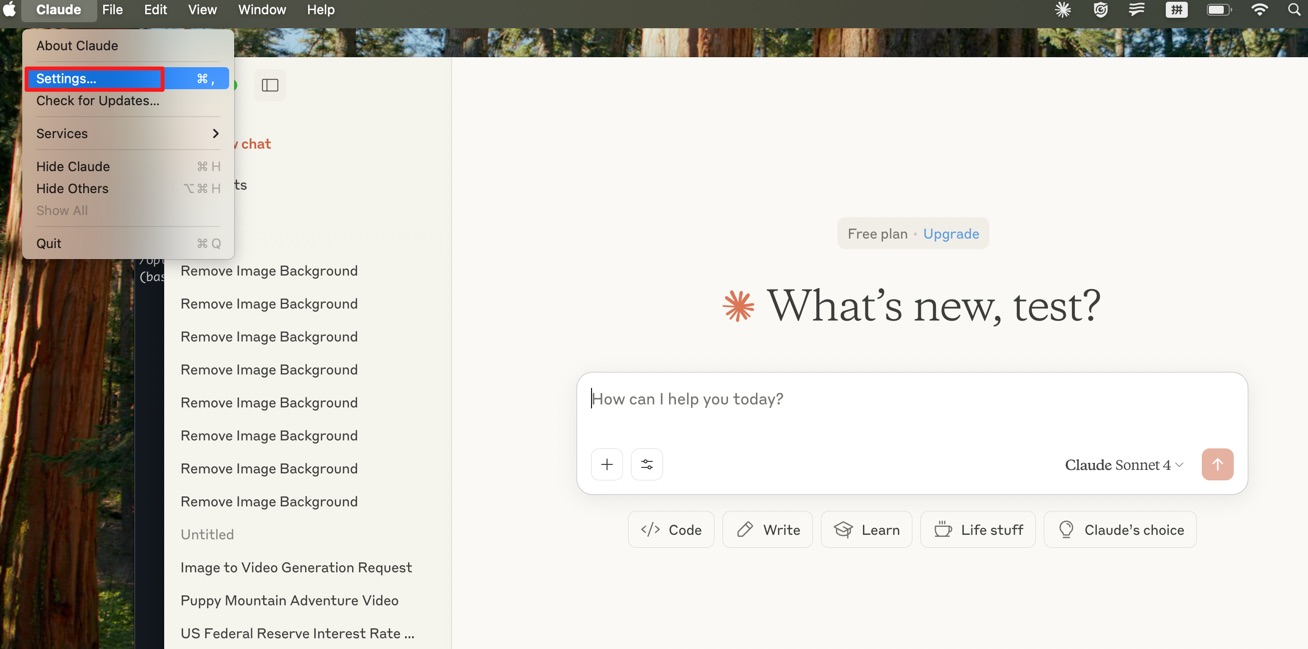 Edit config file:  - media.video-generation (1, declared) - media.speech-synthesis (1, derived) ## Provenance - pypi: https://pypi.org/project/synclub-mcp/ (first seen 2026-09-10T13:20:32.937Z) Machine surfaces: status https://wellknown.network/api/v1/agents/synclub-mcp/status · API https://wellknown.network/api/v1/agents/synclub-mcp · ARD identifier urn:air::server:synclub-mcp